Notes
An Agent Harness for Thinking
Notes on building an IDE agent harness that prioritises thinking time over code throughput
In the spring, I built a coding agent that was designed to slow me down. Which sounds strange, but I was very aware that when we hand over the reins to a coding agent, it can produce so much code, so quickly, that the codebase changes faster than our understanding does - and the mainstream tools are all built to make that faster still. I wanted to see what would happen if you switched the intent: an agent at the opposite extreme, prioritising developer understanding over generation speed. The expectation was that slowing down the generation process - plans, checkpoints, explicit reviews - would keep me in the loop.
The Experiment
When I was building this new agent, I wanted to stay as close as I could to where developers have traditionally understood their code - in the IDE. I also wanted to build out the agent context from the internal code representation that the IDE itself uses - Abstract Syntax Trees. For JetBrains' IntelliJ this is represented by the Program Structure Interface (PSI).
The harness had three layers - the IDE layer, the control layer and the observability layer.
The IDE Layer
This layer used the Plugin SDK to read program structure from the PSI and to apply the agent's changes back through it, rather than through plain file operations.
The Control Layer
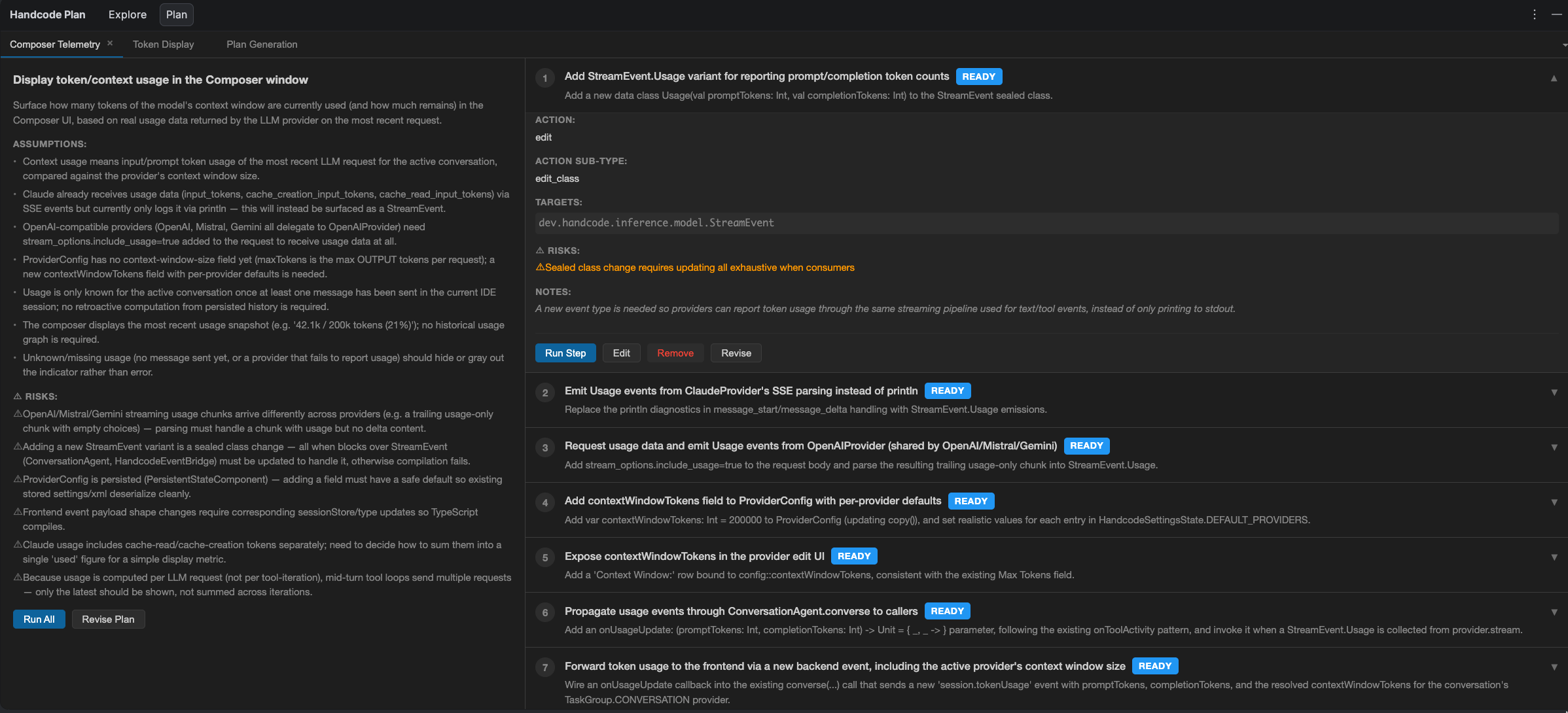
The plan appears in the UI as a structured artefact, with clearly signalled assumptions and risks. Steps can be edited by hand, sent back to the conversation for revision, or run individually, with the diff of each change visible as it runs. The theory was simple: if every change starts as a plan I can review and manage, then my understanding should stay in lockstep with the code.
The Observability Layer
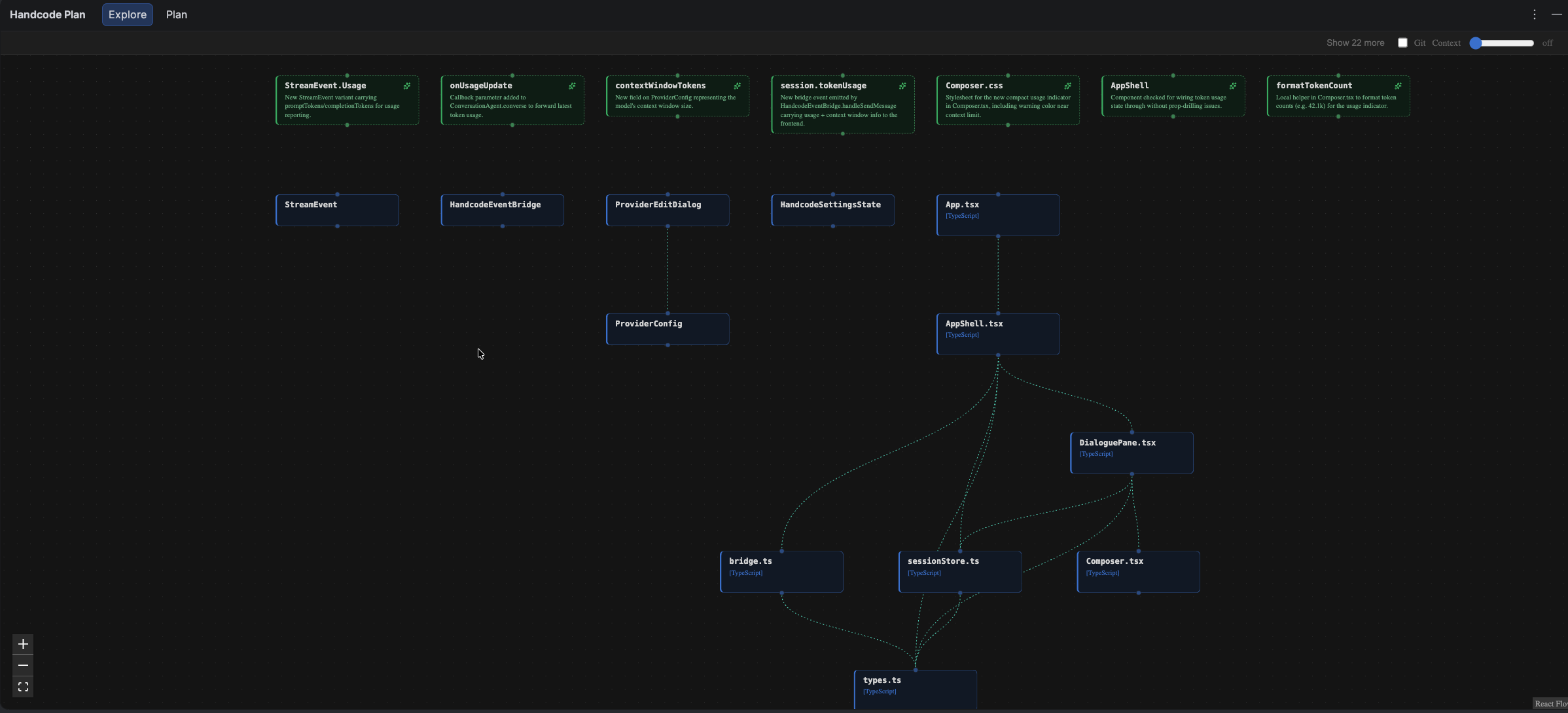
When I was looking for a way to improve my understanding of the code changes that were going to take place, I thought back to how my colleagues and I would always plan and discuss upcoming work: everything starts with boxes drawn on a whiteboard. Boxes with lines between them. These lines are often fluid in their meaning - sometimes they represent data flow, other times a control structure, but the boxes give us something visual to hold on to, a slightly higher level of abstraction than looking at the code, but close enough to reality that we can share a common understanding.
With the PSI's picture of the program structure, I could build a graph of the change that I was going to make and see how it fitted into the overall structure of the codebase. The Explore graph was my private whiteboard, showing only what was relevant to the current discussion.
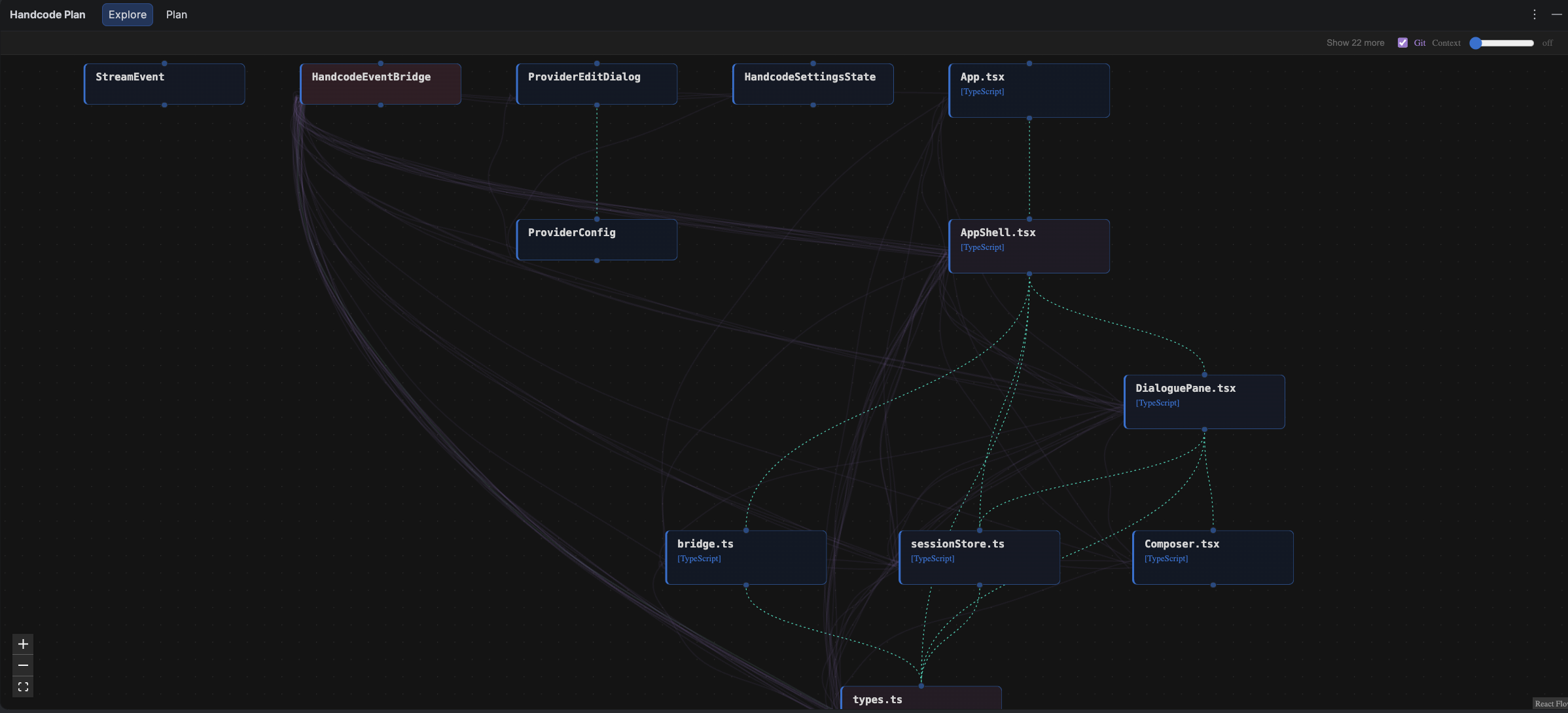
The structure invited overlays. Drawing on git history, I added a line between two nodes each time they'd changed in the same commit - faint threads at first, thickening with every co-occurrence until the most tightly coupled components were bound by rope.
A short video of the explore graph as it tracks the conversation:
What Failed
Long, detailed plans that outlined every assumption and explained every decision sounded like what I wanted, but I rarely - if ever - read the full details of a plan. I would look over the individual steps at a cursory level, but the detail didn't feel like it was for me. It was an AI-generated plan for an AI-generated code change. With a low cost of reverting changes, I found that I was more comfortable running a step, checking the diff and continuing or revising on that basis. The up-front plan didn't help me understand the change. It just became friction.
The rigidity that enabled the Plan UI was the same rigidity that made using the harness frustrating: it was much harder to edit or revise a plan here than it was in Claude Code for example, where the markdown plans and free-form conversations make it much more friendly to use. The projects I was working on were mostly individual projects, rather than large shared projects - perhaps the plans would have been more useful if I hadn't already been in the centre of these decisions in the first place. But for me it felt like unnecessary ceremony.
But, despite this, there was one area where I did find myself learning about my codebase, often in surprising ways.
Where Understanding Came From
The Explore graph kept the conversations anchored in the codebase. It was easy to jump from one component to another, seeing the relationships between them.
The key to this, I realised, was to remove as much from the default view as possible, with the ability to jump in deeper when required. Originally, I had used a C4 Model to describe the components and code, but this quickly became restrictive - the imposed hierarchy interfered with the deliberately informal intention. The grouping tended to happen naturally based on the lines drawn between the nodes.
To begin with, the nodes came from two sources - the result of tool calls ("Lookup Symbol", "Read file") and file references in the conversation itself. As conversations grew, this made the graph too detailed and distracting. By adding an LLM filter on which nodes were most relevant to the current state of the conversation, the graph could remain pertinent. The other nodes were just a click away - hidden from the default view.
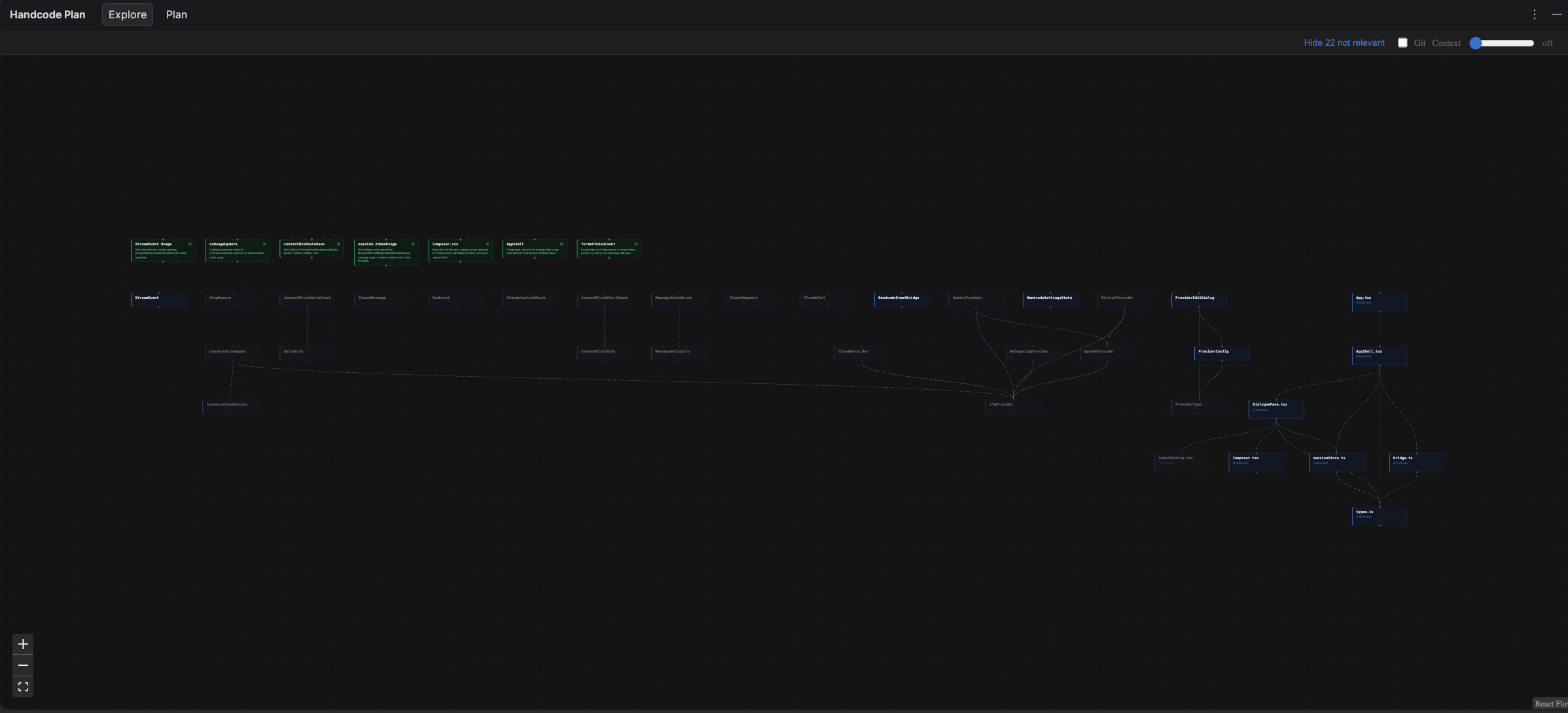
When I wanted to understand the wider architecture of a given change - the "blast radius" - a "hops" slider widened the view, one or more connections beyond the nodes under discussion.
The git co-change information was more useful than I expected. It started as a "thing I could do quite easily", but ended up being one of the key ways I came to think about the relationships between components - sometimes it validated a planned change, as these components were so tightly coupled. At other times it showed a problem in the design where there were too many changes between what should have been independent parts of the codebase.
What worked overall was when the harness showed me the 'code' - the structure, the history, the diffs. What didn't work was when I had to read about changes that hadn't happened yet.
What Next
Ultimately, my attempts to slow down agents for my sake added friction, but without buying much understanding. I think we still need ways of maintaining oversight of the rapidly evolving architectures that are being built in our name, but we have to consider this a task that runs in parallel with code generation, rather than in competition with it. Perhaps the "accidental" understanding we used to get from writing and reviewing code ourselves needs to be treated as what it always was - a first-class responsibility of the developer.
Some parts of the plugin did help here, and they will probably outlive the current plugin implementation. None of the successful parts need the harness per se. They could run alongside any agentic coding tool or workflow.
The Explore graph is the obvious one. It doesn't depend on the plan machinery at all - it would work just as well tied into Claude Code's agent hooks, the same lifecycle events the harness used: tool calls and new messages. The git overlay comes with it for almost nothing. And if we need step-by-step diffs, that's as simple as building multiple commits into the agent execution loop.
We will see a huge evolution in working practices over the next 18-24 months. We should put our understanding at the heart of it.